

Create Home Widget
Learn how to create and save home screen widgets in the app.
Published Reviewed
Create WidgetSet Up Widget
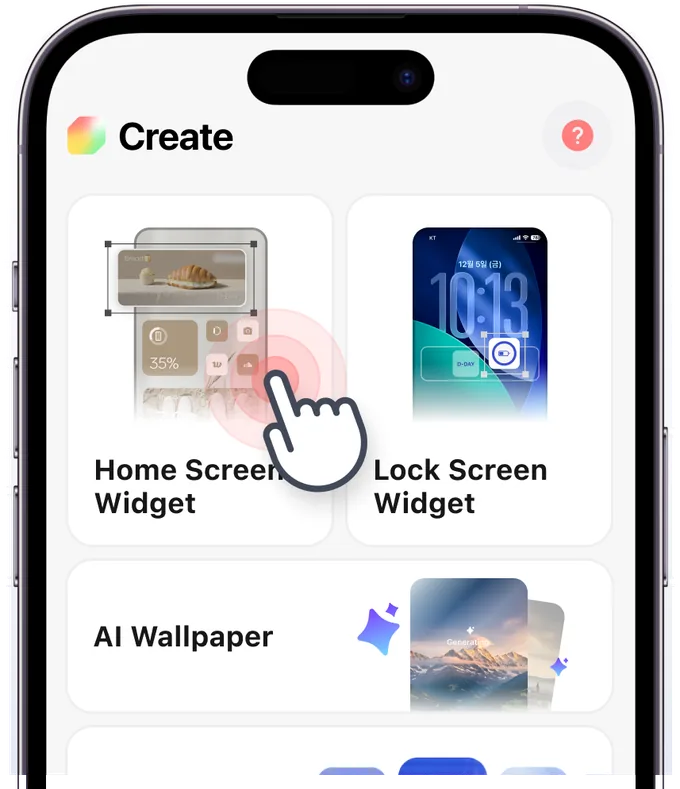
Step 1
Create Home Screen Widget
Tap the 'Create Home Screen Widget' button on the Create page or My Page.
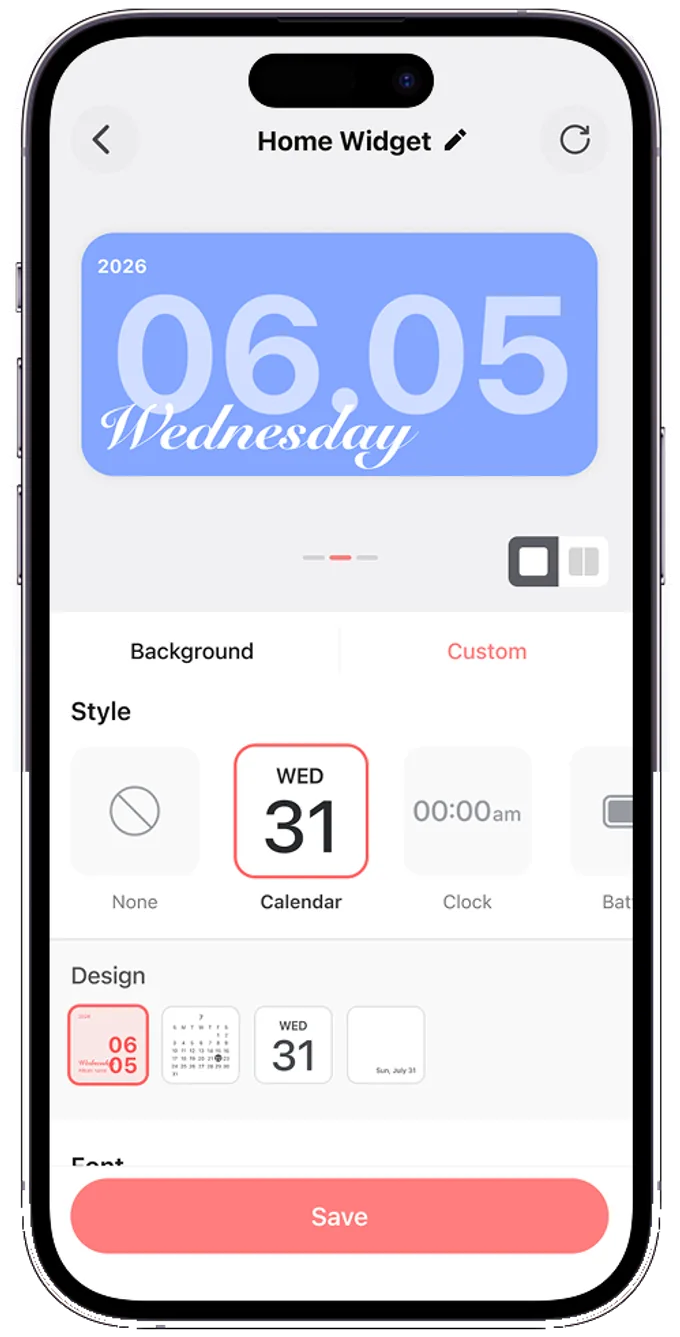
Step 2
Customize Widget
Choose your preferred type and style to complete your design, then tap Save.
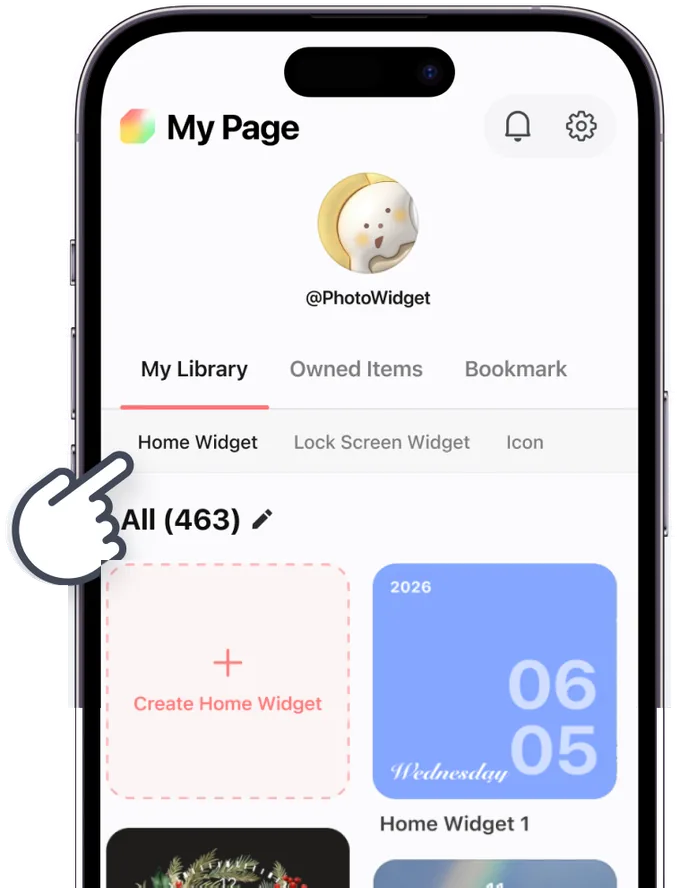
Step 3
Widget Created!
You can check your saved widgets in My Page. Now, go ahead and set up your widget!